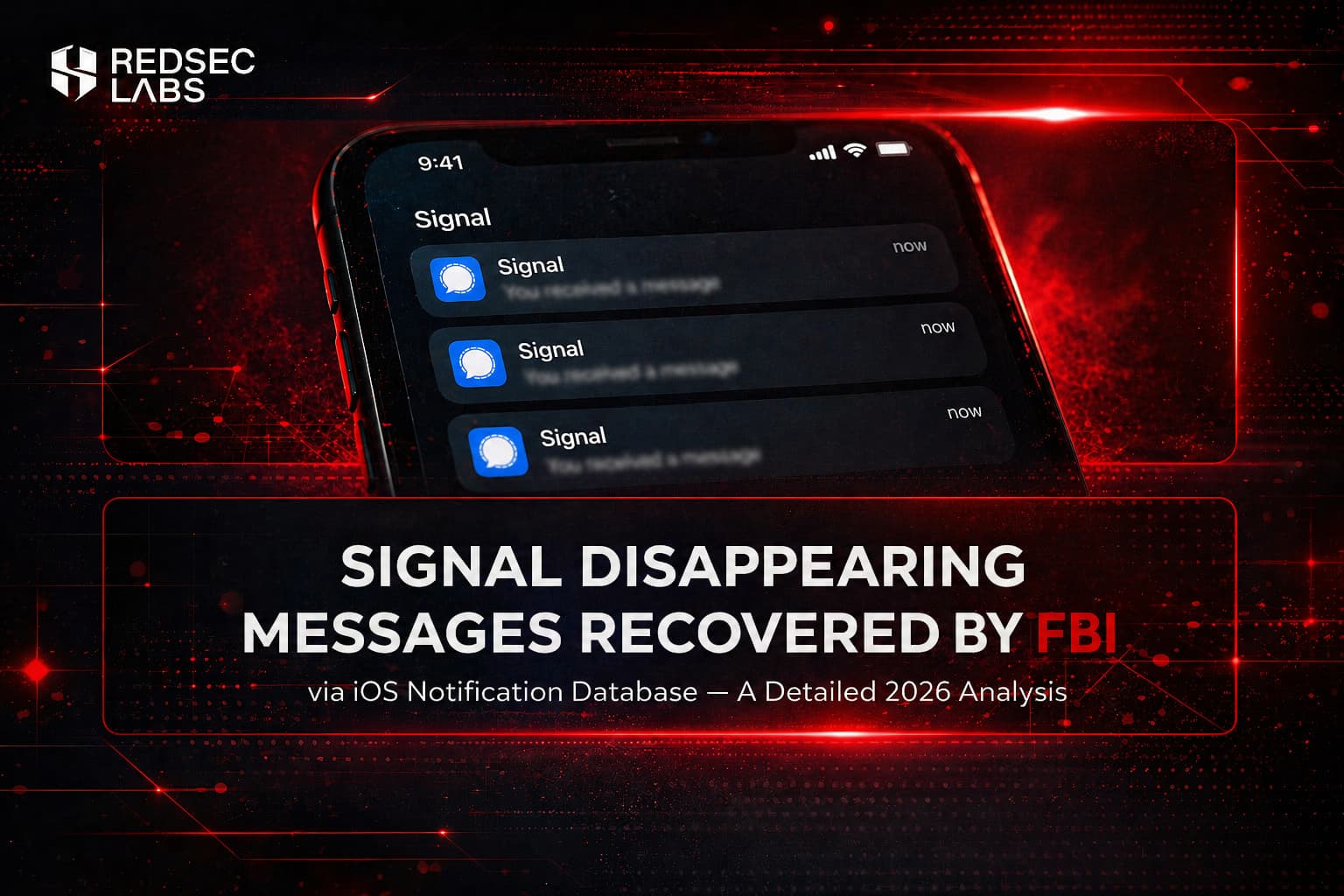
The recent FBI extraction of “deleted” Signal disappearing messages has sparked widespread discussion and questions about end-to-end encryption (E2EE).
Many wonder if Signal’s privacy promises have been undermined. The short answer: No, E2EE remains intact. This was an endpoint side-channel issue rooted in how iOS handles push notifications.
Let’s break it down in detail.
The Case: What Happened in the Prairieland Investigation
In a federal terrorism-related prosecution in Texas involving an alleged attack on the Prairieland ICE detention facility in Alvarado (July 2025 incident with property damage, fireworks, and a police officer shot), the FBI recovered copies of incoming Signal messages from defendant Lynette Sharp’s iPhone. Sharp had previously pleaded guilty to providing material support to terrorists.
Key facts from court testimony (Exhibit 158 and FBI Special Agent Clark Wiethorn’s statements, as reported by 404 Media and others):
- The Signal app had been completely deleted from the device.
- Disappearing messages were enabled, and the messages had already expired inside the app.
- Forensic tools (primarily Cellebrite) extracted the content not from Signal’s local database, but from Apple’s internal push notification database, a system-level storage area used by Notification Center.
- Only incoming messages were recovered.
- Outgoing messages were not affected, as they do not generate the same push notification previews on the recipient side.
This technique has been known in digital forensics circles for years, but the case gained traction because it involved Signal, widely viewed as the most privacy-focused major messaging app.
Technical Deep Dive: How iOS Notification Caching Works
Here’s exactly why this recovery was possible:
Message Arrival: A Signal message is sent end-to-end encrypted. On the recipient’s iPhone, Signal decrypts it locally using the Signal Protocol.
Notification Hand-off: If Signal’s notification settings allow previews (default behavior often shows sender name + message content for usability), the decrypted plaintext is passed to Apple’s Push Notification service (APNs) and iOS.
System-Level Caching: iOS stores this plaintext preview in its internal push notification database (a persistent SQLite-based store managed at the OS level). This cache supports features like Notification Center history, lock-screen banners, and summaries.
Persistence: Unlike Signal’s own storage (which respects disappearing message timers), this OS-level cache operates independently. It can survive:
- Message self-deletion
- Full app uninstallation
- Reinstallation of Signal
Retention time varies but has been observed lasting weeks or longer, depending on device usage and iOS version.
Forensic Extraction
With physical access to the device (typical in law enforcement scenarios), tools like Cellebrite can image the phone and query this database, pulling the cached previews.
This is a classic platform leakage or side-channel issue — not a cryptographic failure in Signal.
The encryption protected the message in transit and within the app, but once plaintext was intentionally handed to iOS for display purposes, it became a recoverable artifact.
Signal’s default notification settings lean toward convenience (showing full content) rather than strict privacy. This is a common usability vs. security trade-off seen across many apps.
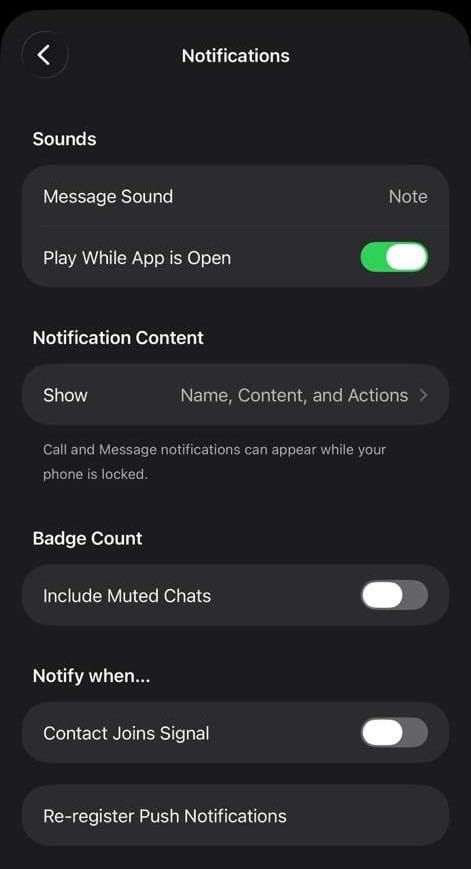
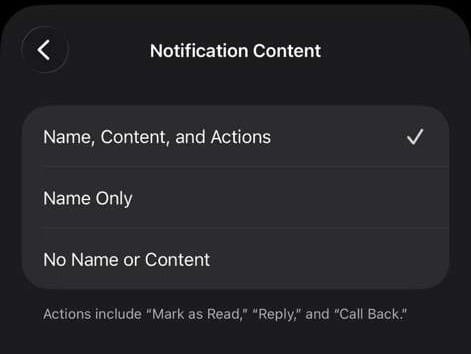
Signal’s default notification settings often include full message previews, which iOS then caches persistently.
Why This Is NOT a Break of E2EE
End-to-end encryption (via the open, audited Signal Protocol) ensures only the sender and intended recipient can read messages. Signal servers see almost no content or metadata. The FBI did not access Signal’s servers, break the protocol, or read messages in transit.
The leak occurred post-decryption on the endpoint device due to how the operating system interacts with apps for notifications. This affects any messaging app (WhatsApp, iMessage, etc.) when rich previews are enabled.
Community Reactions (Especially on Reddit)
The story dominated threads in r/technology, r/privacy, r/signal, r/cybersecurity, and Hacker News.
Key takeaways from discussions:
Many users expressed surprise that “disappearing messages” + app deletion didn’t erase all traces. A common comment: “The FBI didn’t break Signal’s encryption, they accessed iOS’s notification cache where previews were stored.”
Strong consensus on fixes: Change Signal’s in-app notification content to “No Name or Content” immediately, and set iOS system previews to “Never.”
Broader debate: This highlights endpoint security realities. Physical device seizure with forensic tools changes the threat model significantly. For high-risk users (activists, journalists), disabling notifications entirely is recommended.
Some criticism of Signal’s defaults not being privacy-first, though most acknowledged this is an iOS/platform issue more than a Signal-specific flaw.
Comparisons arose to other leaks (e.g., WhatsApp backups or Telegram’s default non-E2EE chats), reinforcing that no app is perfect, users must understand trade-offs.
Overall sentiment was educational rather than panicked, with practical advice dominating.
How to Fully Mitigate This Risk
Primary Fix in Signal:
Go to Settings > Notifications > Notification Content (or “Show”).
Select No Name or Content (strongest) or “No Content.”
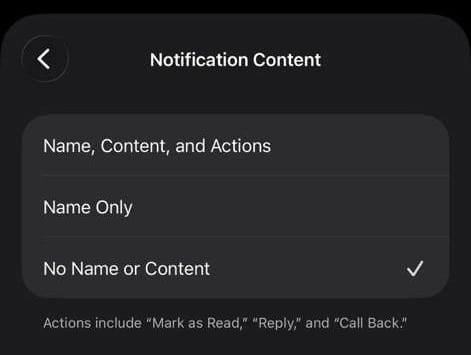
This prevents Signal from including plaintext in the notification payload sent to iOS.
System-Level on iOS:
Go to Settings > Notifications > Signal > Show Previews.
Set to Never (or “When Unlocked” as a compromise).
My Long-Standing Approach: Disable notifications for Signal (and other sensitive apps) entirely. Messages arrive when you open the app, no lock-screen exposure, no persistent OS cache of content.
Additional layers for higher threat models:
- Use short disappearing message timers.
- Regularly delete old conversations.
- Enable iOS Advanced Data Protection or avoid iCloud backups for Signal data.
- Consider Lockdown Mode if facing targeted risks.
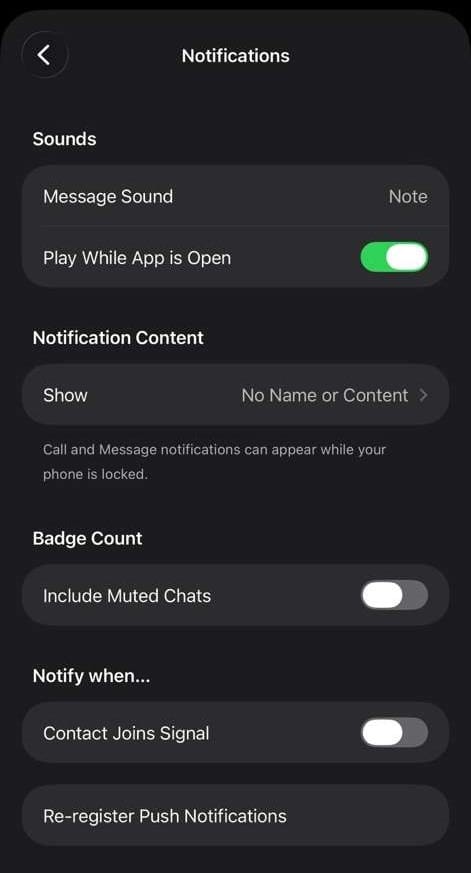
These two changes ensure no plaintext previews reach iOS’s persistent notification database.
The Broader Privacy Context
This incident fits into ongoing debates about messaging app claims.
Recently, Pavel Durov criticized WhatsApp’s “E2EE by default” marketing, noting that optional cloud backups (to unencrypted iCloud/Google Drive) leave most messages exposed, with low adoption of password-protected backups.
Apple/Google comply with thousands of data requests yearly. Telegram, meanwhile, does not offer E2EE by default on normal/cloud chats (only manual “Secret Chats,” which are 1:1, non-syncing, and rarely used). Normal chats use client-server encryption where Telegram holds keys.
Signal still stands out technically: true E2EE by default everywhere, minimal metadata, open protocol, independent audits, and no cloud message storage by design. Yet, as this case shows, even the strongest crypto can be undermined by device/OS behaviors or default settings. The real lesson is defense in depth and understanding your threat model — casual use vs. device seizure by authorities.
Latest Update:
The root cause was Apple’s notification caching behavior and Apple has now officially confirmed this by shipping an emergency patch. CVE-2026-28950 was fixed in iOS 26.4.2 and iPadOS 26.4.2, addressing a flaw where notifications marked for deletion could be unexpectedly retained on the device.
Signal confirmed that no user action is needed beyond installing the update, and that all inadvertently-preserved notifications will be deleted automatically. Update your device now, and keep the "No Name or Content" notification setting enabled regardless, because good security hygiene doesn't depend on a single patch.
Final Thoughts
Notifications are often overlooked, yet they can quietly expose sensitive data through plaintext previews and cached content. Signal remains one of the strongest options when properly configured. Review your notification settings today, it takes under a minute and closes a real forensic vector.
What’s your setup?
Do you use full previews for convenience, or have you locked notifications down?
Have you tested your backup and notification hygiene lately?
Share in the comments.
Related Reading: My 2021 Signal vs Telegram vs WhatsApp comparison (still highly relevant)