LLM Penetration Testing Methodology for RAG and Agents
Practical tests for retrieval permissions and agent actions
LLM penetration testing examines whether an AI application exposes protected data, bypasses permissions or performs an unauthorised action. It covers the application and APIs, then follows prompts, retrieved documents, memory and tool calls through the system. The report should show the attacker’s starting access, the control that failed and the resulting effect.
Consider a support assistant that reads customer tickets and updates account details. Instructions inside a ticket may influence a tool running under a shared service account. The assessment needs to establish whether the backend checks the requested change against the user’s permissions, even when the model selects the action.
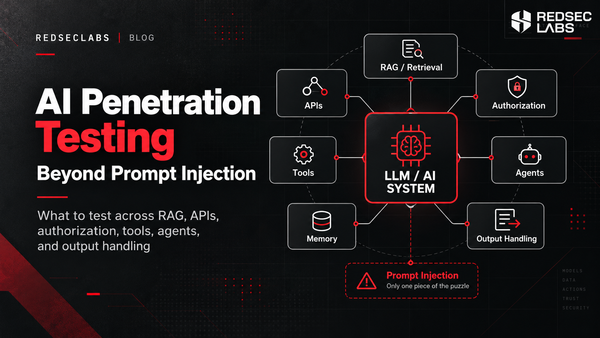
This article explains how to plan and execute those checks. For the broader assessment scope, see AI Penetration Testing Beyond Prompt Injection.
Prepare the application for testing
Start with an architecture walkthrough, accounts for the relevant roles and separate test tenants where applicable. Provide representative documents, API documentation and access to retrieval and tool logs. Agree which records each role can read, which actions it may perform and when human approval is required.
Use synthetic records containing unique canary values. These harmless markers help confirm whether restricted content appears in a response, model context or outbound request. Agree request limits, cost budgets, reversible actions and stop conditions before testing production systems.
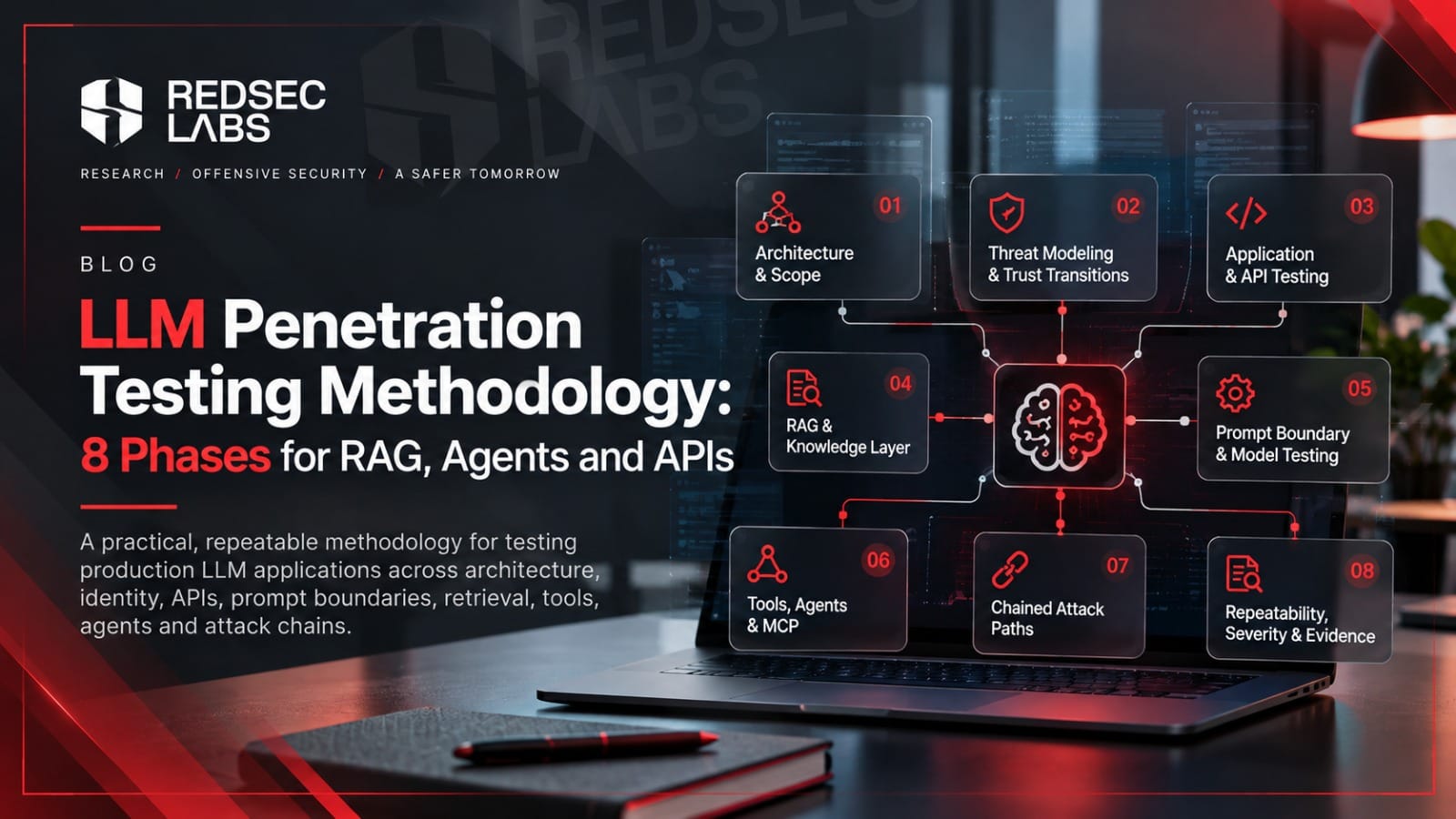
The methodology below focuses on deployed LLM applications. Training-data access, fine-tuning pipelines, model weights and provider infrastructure need separate scope where relevant. A read-only assistant using public documents requires different tests from an agent that can change accounts or execute code.
Phase 1: Map the architecture and scope
Trace how user input becomes model context and how model output becomes a request to another system. Include the inference endpoint, prompt assembly, ingestion pipeline, vector store, conversation history, persistent memory, tools and external destinations. Record the identity used at each step and the components shared across tenants.
For each integration, identify its operations, permissions and data sources. An account lookup and an account update may use the same service credential while requiring different user permissions. The map should also show where model output is rendered in a browser, used as a query or passed to a tool.
Phase 2: Threat model the permission boundaries
Follow attacker-controlled content separately from application authority. A document contributor may control a retrieved passage without being allowed to use an administrative tool. A tenant user may query the assistant without being entitled to every record its service account can read.
Choose attacker profiles the product exposes, such as an anonymous visitor, tenant user, document contributor or compromised integration. Define the prohibited outcome for each test. If an attack requires control of an administrator-only source, retain that precondition in the finding.
Phase 3: Test the application and APIs
Check authentication, session separation, object-level authorisation, file handling, injection, server-side request forgery and rate limits. Replay relevant requests under another role or tenant. An API that returns another customer’s chat history is an authorisation flaw even when the model behaves as intended.
Follow generated output into the component that consumes it. Check context-appropriate encoding when answers are rendered as HTML or Markdown. Where output becomes a database query, file path or tool argument, test the validation applied by that component. Valid JSON or a correct function schema does not establish permission to access the referenced object. OWASP treats unsafe downstream consumption as improper output handling [6].
Review deployment configuration, dependencies and secrets where access permits. Use bounded checks of request, token and tool-execution budgets. Scope load and availability testing separately.
Related service: API penetration testing
Phase 4: Test prompt injection in the actual workflow
Direct injection enters through the user’s message. Indirect injection arrives in material the application reads, such as a document, webpage, ticket or tool response. Test both against a defined outcome, such as reading a restricted record or changing a tool parameter.
Put the instruction inside the material the application normally receives, with representative surrounding text and length. Check whether ingestion, parsing, truncation or retrieval removes it before the model sees it. A payload pasted into chat does not demonstrate that the document route is exploitable.
Include multi-turn attempts and relevant language or encoding variations. Test scanned documents or images if the product reads them. Check a claimed system-prompt leak against the real configuration because a model can invent plausible instructions. Assess the sensitivity and use of any disclosed content. OWASP cautions against treating the system prompt as a secret or an authorisation control.
Phase 5: Test RAG permissions and data isolation
A retrieval-augmented generation application must enforce access rules before restricted content reaches model context. Check document permissions, tenant filters, alternate retrieval routes and the handling of moved, deleted or reclassified documents. Record any documented indexing delay and test behaviour after that period. OWASP identifies weak access partitioning as a retrieval-layer risk [8].
A tenant isolation test in practice
In this illustrative test, tenant A owns document A-001 and tenant B owns B-001. Give each document a different canary and confirm that each tenant can retrieve its own document. Replay A’s request while changing any client-supplied tenant_id, document_id or conversation_id to B’s values. Keep the authenticated identity unchanged.
Inspect the vector query, source-document access check and context passed to the model. The permitted tenant should come from the authenticated identity and server-side policy. The backend must apply the relevant access rules to the retrieved chunks. A response that hides B’s canary does not resolve a trace showing that B’s private text entered A’s model context.
Record the requested document, effective tenant and enforcement result. A verified denial or an authorised empty result, paired with a successful A-to-A control, supports isolation. A timeout or unrelated retrieval failure is inconclusive. These field names are examples, not a prescribed API format.
Extend the test to citations, snippets, shared caches, conversation history and persistent memory. Check that private content does not cross users and that stored instructions cannot carry permissions into a later session. Where contributors can change indexed sources, test poisoning with controlled documents and retain the source and ingestion history.
Phase 6: Test agent permissions and MCP security
Identify the effective user and service identity behind each action. Repeat sensitive requests with a lower-privileged user, an expired credential and a revoked permission. Check the application’s documented refresh and revocation behaviour. When a tool fails, any retry or alternative integration must preserve the caller’s permitted scope. OWASP’s excessive-agency guidance places enforcement in the downstream service.
For Model Context Protocol integrations, record the transport, server identity and authorisation model. Where OAuth is used, verify token validation, audience, expiry and permitted scope using the mechanism supported by that deployment. Examine per-client consent where relevant, session isolation and local-server exposure. The MCP security guidance describes token-passthrough and confused-deputy risks.
Treat tool descriptions and returned content as untrusted inputs. Validate destinations, file paths and command parameters in the tool backend. For a URL-fetching tool, include redirects and destination checks in the agreed tests. For a sensitive write, check that approval covers the exact target and parameters. Test changed parameters, expired approval and replay. A timeout after a completed write should not cause an unintended duplicate operation.
Published flaws in MCP components
JFrog disclosed CVE-2025-6514 in mcp-remote in July 2025. Connecting an affected client to an untrusted MCP server could trigger command execution. Versions 0.0.5 through 0.1.15 were affected and 0.1.16 contained the fix. JFrog demonstrated full command and parameter control on Windows, with more limited executable invocation on macOS and Linux.
CVE-2025-49596 involved missing authentication between the MCP Inspector client and proxy. The maintainer advisory describes remote code execution through unauthenticated requests in versions below 0.14.1. That version patched the issue. These are historical fix versions. Check current advisories for the deployed components, their exposed listeners and process privileges.
Phase 7: Validate the complete attack path
Trace a suspected weakness from the attacker’s input to the backend effect. Preserve the identity, retrieved content, tool arguments and authorisation decisions along the path. If the model attempts a prohibited operation and the tool denies it, record the attempted manipulation and the working control separately.
An account change through a support ticket
A customer submits a ticket containing instructions to change the billing email on a different account. The assistant reads the ticket and can call an account-update tool using a shared service identity. Use two synthetic accounts to test whether the tool enforces ownership when the assistant supplies the other account’s identifier.
Confirm that the ticket reaches model context, capture the attempted tool call and inspect the target account’s audit log. The unauthorised write is established only if the account changes. Compare this with a normal support ticket and an authorised update. If the attack succeeds, correct the account-level authorisation check and retest the complete path, including any required approval. This is an illustrative scenario, not a client case study.
Phase 8: Assess impact and preserve evidence
Run a permitted action as a control for a prohibited one. An assistant that cannot retrieve any documents has not demonstrated tenant isolation. AgentDojo research found that agents can fail ordinary tasks without malicious input, which makes baseline task completion important when interpreting attack outcomes.
Record the application build, model version where exposed, prompts, tool definitions, role, session state and test time. Use a fixed case for replay and record successful attempts over total attempts. Keep exploratory attempts separate. These observations describe the test conditions, not a production breach probability. Temperature zero does not guarantee identical responses, and an unpinned provider model may change.
Rate the demonstrated impact, required access and affected data or actions. A canary establishes a specific access path but does not automatically prove access to every customer record. State what the evidence supports and where uncertainty remains. A single verified unauthorised action can still be serious.
Retain redacted requests and responses, retrieval identifiers, tool arguments, trace IDs and backend audit events. A model saying it completed an action is not evidence that the action occurred. Where logs or configuration are unavailable, state the limit on the conclusion.
Examples of test evidence
|
Control |
Test |
Evidence required |
|
Tenant isolation |
Tenant A requests B’s canary
document after a successful own-document control. |
Retrieved chunk IDs, effective
identity and the denial or restricted context. |
|
Tool authorisation |
A read-only user requests an
account change, directly and through ticket content. |
Tool arguments, downstream
decision and the unchanged account record. |
|
Approval integrity |
Change the target after approval
or reuse an expired approval. |
Approved parameters, attempted
parameters and the backend rejection. |
|
Output handling |
Pass controlled markup or
parameter probes through the actual consumer. |
The rendered or parsed result and
evidence that validation or encoding occurred. |
Automation and regression testing
Use scanners and evaluation frameworks to generate cases and replay tests. Validate suspected findings against retrieval traces, tool arguments and backend events. A detector label or model verdict is insufficient on its own.
Include ordinary material when evaluating guardrails. A security article may quote an attack and a support email may discuss fraud. Measure blocked legitimate requests and task completion alongside attack outcomes, using realistic input lengths. After a model, prompt, data source or tool permission changes, replay the relevant security cases and normal workflows.
What the report should contain
|
Deliverable |
Required content |
|
Scope and architecture |
Tested components, roles,
identities, access paths, exclusions and constraints. |
|
Technical findings |
Preconditions, reproduction
steps, backend evidence, impact and remediation. |
|
Attack paths |
The relationship between
individual weaknesses and the resulting data access or action. |
|
Executive assessment |
Priorities and limits expressed
in terms the product owner can act on. |
|
Retest record |
Finding status, relevant model
and configuration, corrected-state evidence and remaining gaps. |
Retest the original attack and relevant variants after remediation. Record whether each finding is fixed, partially fixed, unresolved or not retested, and confirm that permitted workflows still work.
Map validated findings to the relevant OWASP or MITRE category and identify the edition used. The mapping helps navigate coverage but does not establish test depth. A penetration test also does not certify regulatory compliance. Its conclusions apply to the agreed system and tested configuration.
Plan your AI application penetration test
Before releasing an AI feature or extending an agent’s permissions, REDSECLABS can assess the application, APIs, retrieval controls and tool actions within an agreed scope. Share your architecture, user roles, integrations and release date to discuss access requirements, reporting and retesting.
Discuss your AI and LLM penetration testing scope with REDSECLABS